Getting started
This API provides an interface to the StellioStellioAn NGSI-LD compatible context broker. On the platform, a data space maps to a tenant in Stellio with separate roles for reading, writing, and deleting entities. Context Broker, which implements the NGSI-LDNGSI-LDAn open API and data model specification for context management, published by ETSI. Stellio implements it. standard, via the APISIX endpoint /context/ngsi-ld/.
NGSI-LDNGSI-LDAn open API and data model specification for context management, published by ETSI. Stellio implements it. is a standard for managing context information with linked data principles, and StellioStellioAn NGSI-LD compatible context broker. On the platform, a data space maps to a tenant in Stellio with separate roles for reading, writing, and deleting entities. is an open-source context broker that fully supports this standard. StellioStellioAn NGSI-LD compatible context broker. On the platform, a data space maps to a tenant in Stellio with separate roles for reading, writing, and deleting entities. allows you to store, query, and manage context information such as entities, relationships, and their attributes, in compliance with the NGSI-LDNGSI-LDAn open API and data model specification for context management, published by ETSI. Stellio implements it. data model.
In order to use an API via APISIX, you need to have an account created on our KeycloakKeycloakThe component that manages access to data spaces across all platform components. It uses realms, clients, roles, users, and groups, and represents each data space through specific roles. IDM and have an administrator grant you access to a data spaceData spaceA thematic area that contains specific data and resources in different platform components. Data is stored in exactly one data space, and access rights are specific to each data space. Roles within a data space control what users and groups can do in it..
For accessing the API with valid credentials, please see How to Get an Access Token.
Data Spaces
This API supports a generic approach to tenancy, by separating data in so-called data spacesData spaceA thematic area that contains specific data and resources in different platform components. Data is stored in exactly one data space, and access rights are specific to each data space. Roles within a data space control what users and groups can do in it.. These spaces are reflected by tenants and can only be accessed, if your KeycloakKeycloakThe component that manages access to data spaces across all platform components. It uses realms, clients, roles, users, and groups, and represents each data space through specific roles. user is in the related group and you have been granted a role to read/write/administer data in this space. To specify the tenant in a request, the header NGSILD-Tenant can be used. If no tenant is specified, the default tenant will be used.
Note: The standard behaviour of StellioStellioAn NGSI-LD compatible context broker. On the platform, a data space maps to a tenant in Stellio with separate roles for reading, writing, and deleting entities. is to expect tenant names starting with a urn:ngsi-ld:tenant: prefix. We prefix the dataspace names automatically for StellioStellioAn NGSI-LD compatible context broker. On the platform, a data space maps to a tenant in Stellio with separate roles for reading, writing, and deleting entities., so for external API calls, you can always set the NGSILD-Tenant header without the prefix.
Example: Use ds_open_datainstead of urn:ngsi-ld:tenant:ds_open_data
More on the concept of tenants can be read here: Stellio Documentation
Swagger Doc
A Swagger documentation is provided alongside this API description, detailing everything you need to work with the API.
Additional Documentation
For more information on the StellioStellioAn NGSI-LD compatible context broker. On the platform, a data space maps to a tenant in Stellio with separate roles for reading, writing, and deleting entities. API, please see the official documentation. This will cover the API in more detail and also explain how historical data can be accessed and how subscriptions can be created.
For information on NGSI-LDNGSI-LDAn open API and data model specification for context management, published by ETSI. Stellio implements it. in general, please see the NGSI-LD Documentation. This contains tutorials and examples, which can help explain the concepts behind NGSI-LDNGSI-LDAn open API and data model specification for context management, published by ETSI. Stellio implements it..
Examples
Before the following examples can be executed, an access token must be created. The following guide can help with that: How to Get an Access Token.
Tip: All cURL commands given can be used in tools like Postman by just copying the cURL command into the request field.
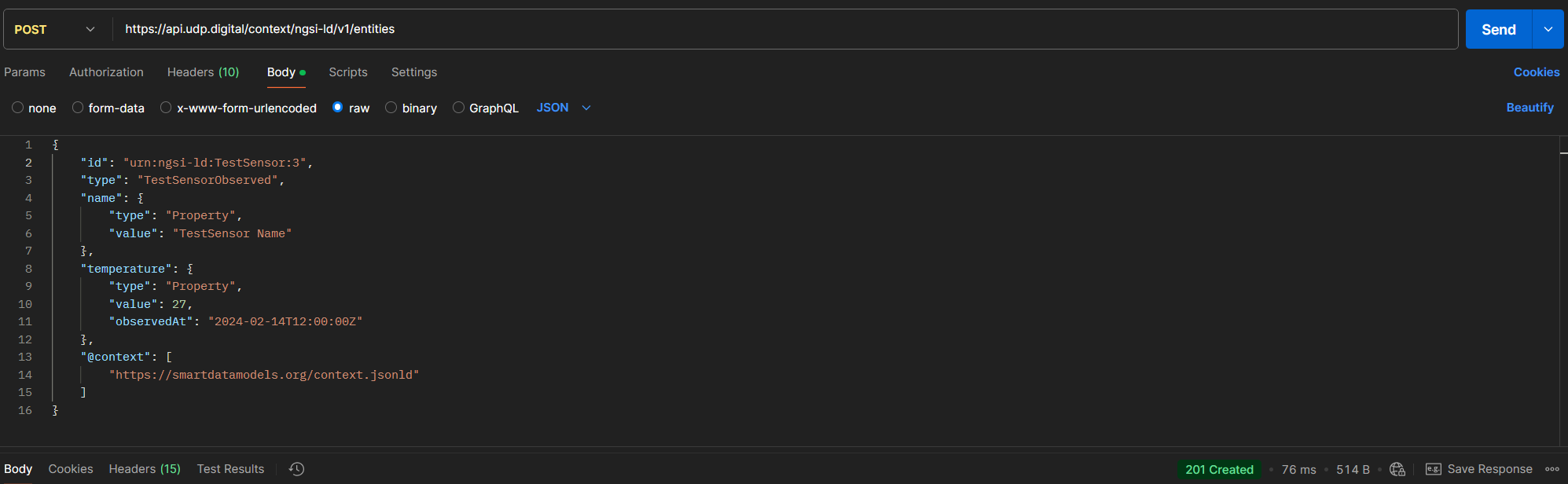
Create an entity
curl --location 'https://api.civitas-core.de/context/ngsi-ld/v1/entities' \
--header 'NGSILD-Tenant: <tenant name>' \
--header 'Content-Type: application/ld+json' \
--header 'Authorization: Bearer <access token>'
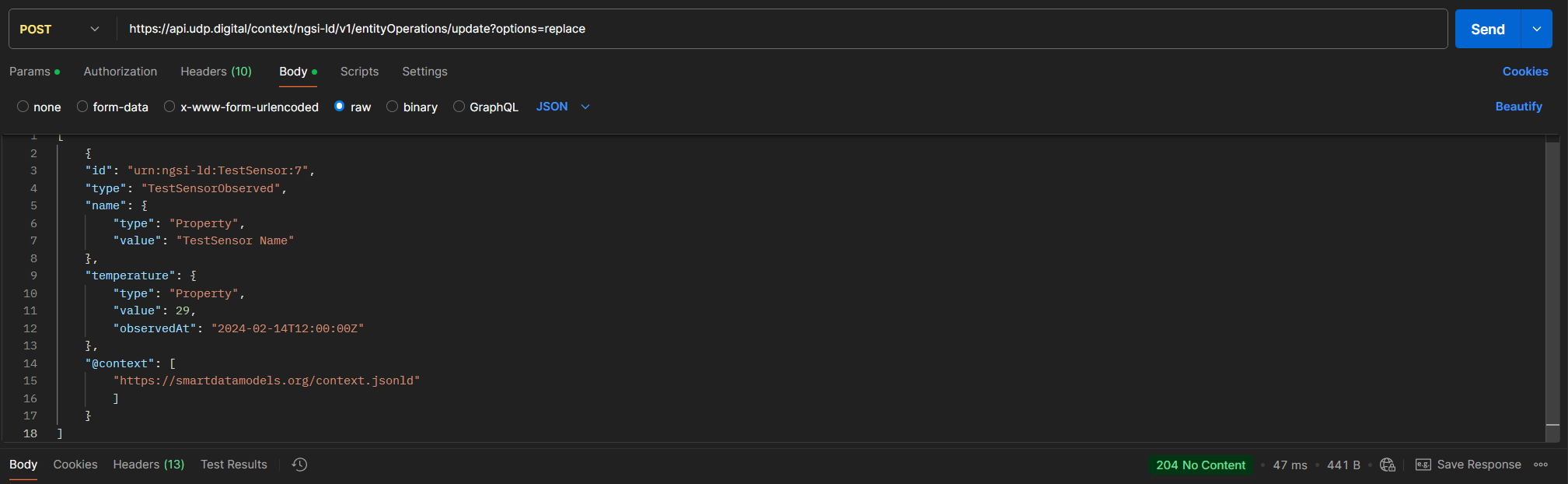
Update entity to create temporal data
curl --location 'https://api.civitas-core.de/context/ngsi-ld/v1/entityOperations/upsert?options=update' \
--header 'NGSILD-Tenant: <tenant name>' \
--header 'Content-Type: application/ld+json' \
--header 'Authorization: Bearer <access token>'
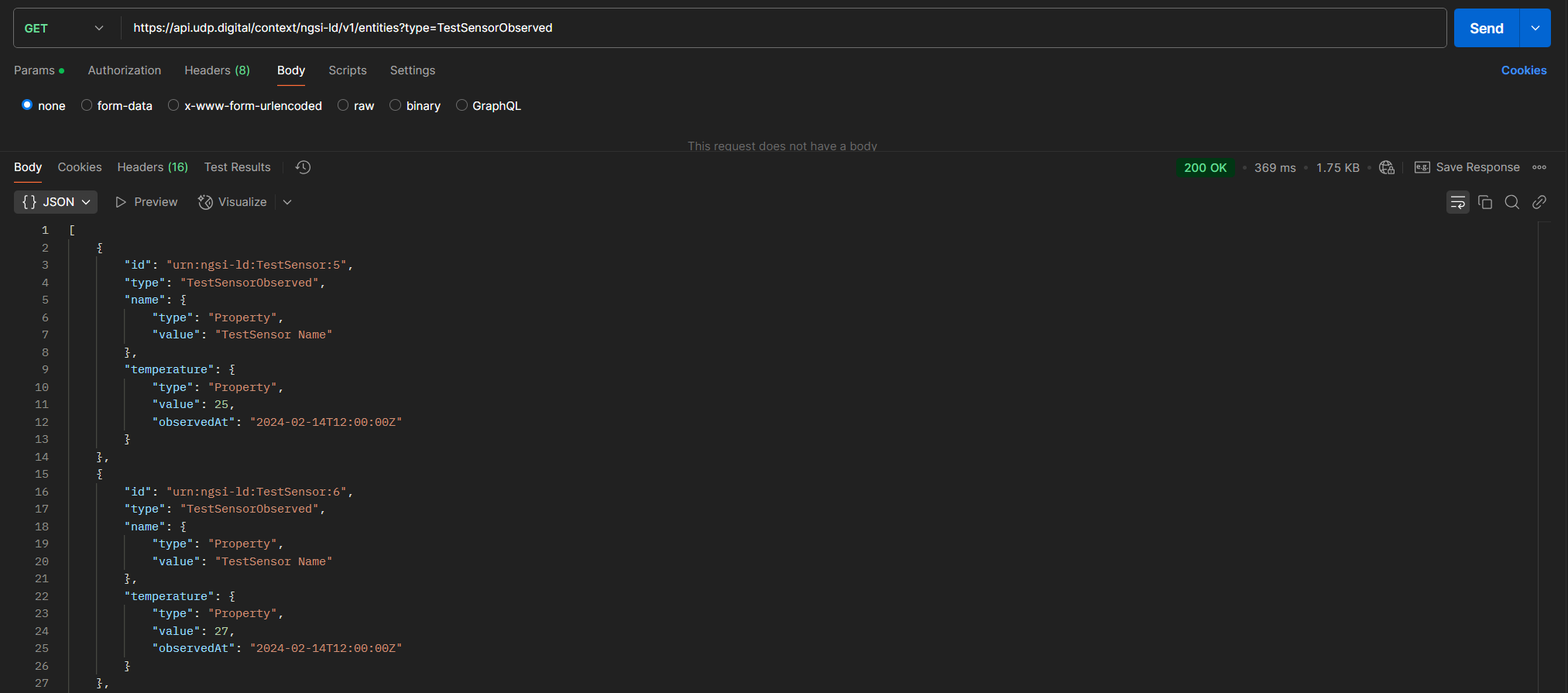
Retrieve entity context data
curl --location 'https://api.civitas-core.de/context/ngsi-ld/v1/entities?type=TestSensorObserved' \
--header 'NGSILD-Tenant: <tenant name>' \
--header 'Fiware-ServicePath: /' \
--header 'Content-Type: application/ld+json' \
--header 'Authorization: Bearer <access token>'
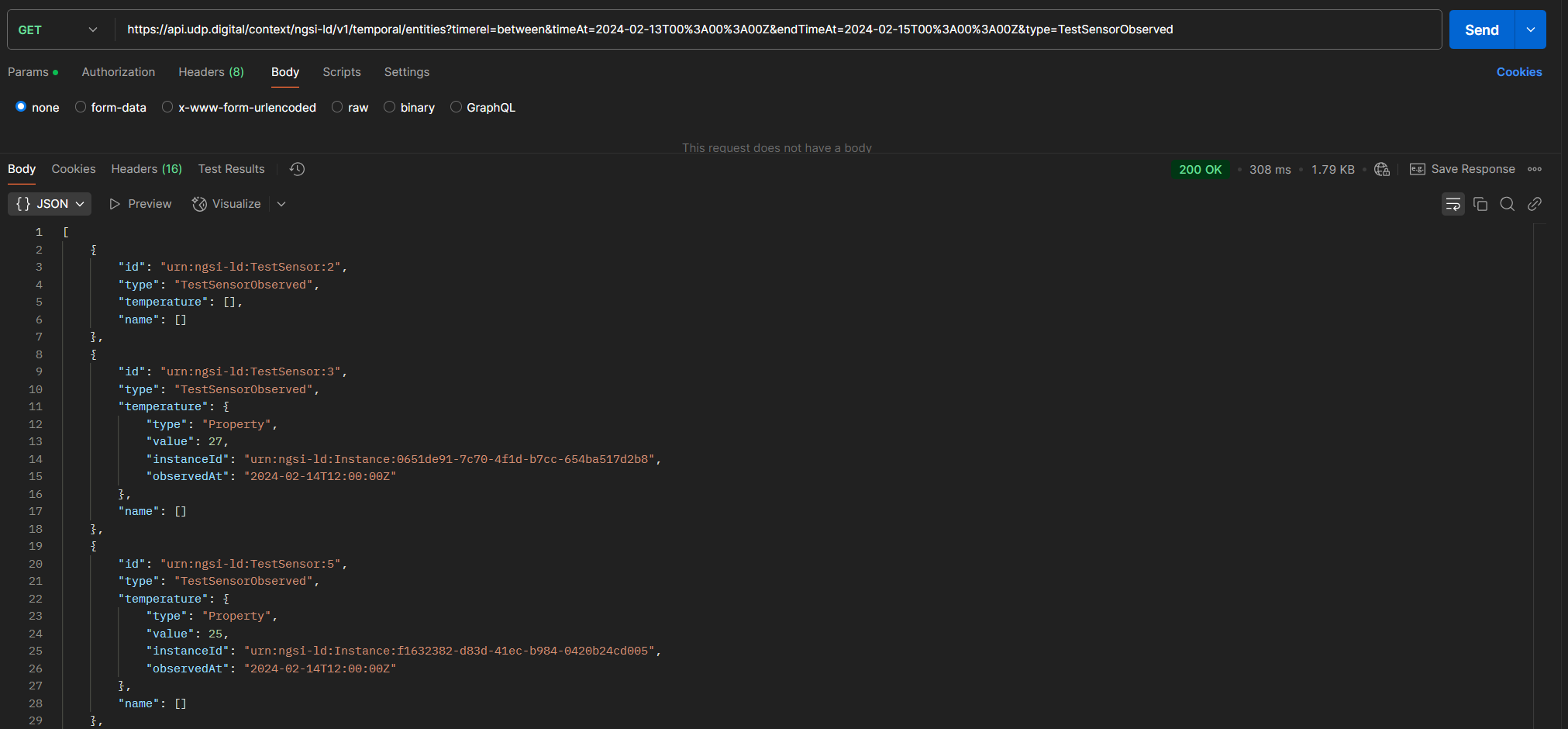
Retrieve entity temporal data
curl --location 'https://api.civitas-core.de/context/ngsi-ld/v1/temporal/entities?timerel=between&timeAt=2024-02-13T00%3A00%3A00Z&endTimeAt=2024-02-15T00%3A00%3A00Z&type=TestSensorObserved' \
--header 'NGSILD-Tenant: <tenant name>' \
--header 'Fiware-ServicePath: /' \
--header 'Content-Type: application/ld+json' \
--header 'Authorization: Bearer <access token>'