GeoServer
The GeoServerGeoServerThe component for geo-spatial content on the platform. Access to its layers and layer groups is controlled by roles that are specific to each data space. is the geo-spatial server of the platform that allows for the publishing and management of geo-spatial data and services. It provides powerful capabilities for managing and serving geo-spatial data.
Upon logging in as an administrator, the following administrative view is displayed:
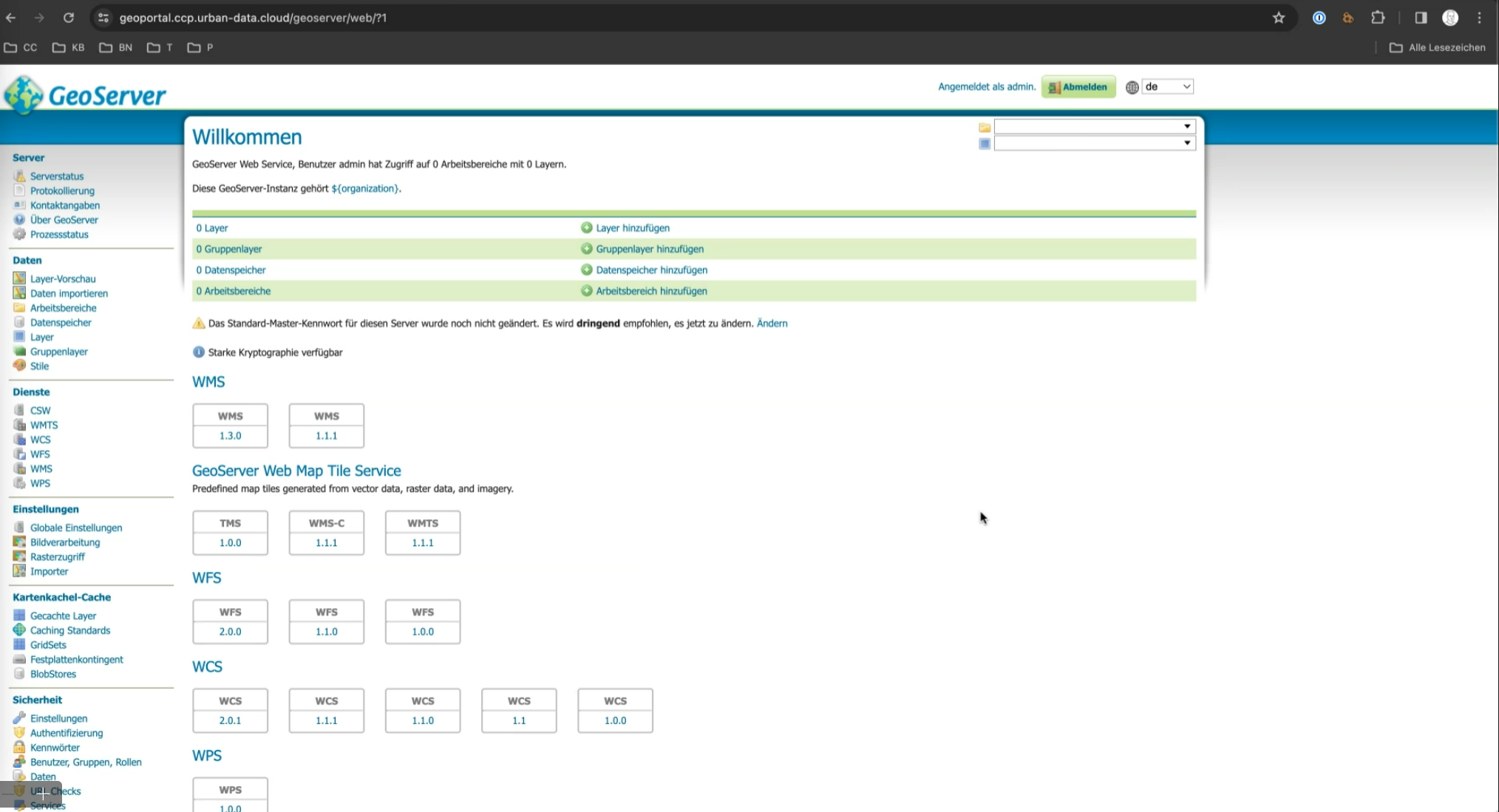
The GeoServerGeoServerThe component for geo-spatial content on the platform. Access to its layers and layer groups is controlled by roles that are specific to each data space. is organized into data spacesData spaceA thematic area that contains specific data and resources in different platform components. Data is stored in exactly one data space, and access rights are specific to each data space. Roles within a data space control what users and groups can do in it. (workspaces) and data layers. Data layers are geo-spatial datasets like shapefiles or databases published for web mapping. Data spacesData spaceA thematic area that contains specific data and resources in different platform components. Data is stored in exactly one data space, and access rights are specific to each data space. Roles within a data space control what users and groups can do in it. organize layers, allowing users to manage, group, and share related data.
Data Layer Management
New layers are defined within the menu group "Data".
Data Space Management
A data spaceData spaceA thematic area that contains specific data and resources in different platform components. Data is stored in exactly one data space, and access rights are specific to each data space. Roles within a data space control what users and groups can do in it. is equivalent to a "Workspace". Data spacesData spaceA thematic area that contains specific data and resources in different platform components. Data is stored in exactly one data space, and access rights are specific to each data space. Roles within a data space control what users and groups can do in it. are disjoint in terms of roles and access.
Each data spaceData spaceA thematic area that contains specific data and resources in different platform components. Data is stored in exactly one data space, and access rights are specific to each data space. Roles within a data space control what users and groups can do in it. can be configured independently, allowing for tailored management of data accessibility. For each data spaceData spaceA thematic area that contains specific data and resources in different platform components. Data is stored in exactly one data space, and access rights are specific to each data space. Roles within a data space control what users and groups can do in it., KeycloakKeycloakThe component that manages access to data spaces across all platform components. It uses realms, clients, roles, users, and groups, and represents each data space through specific roles. roles can be configured to control access.
Public Access to Workspaces
- Workspace
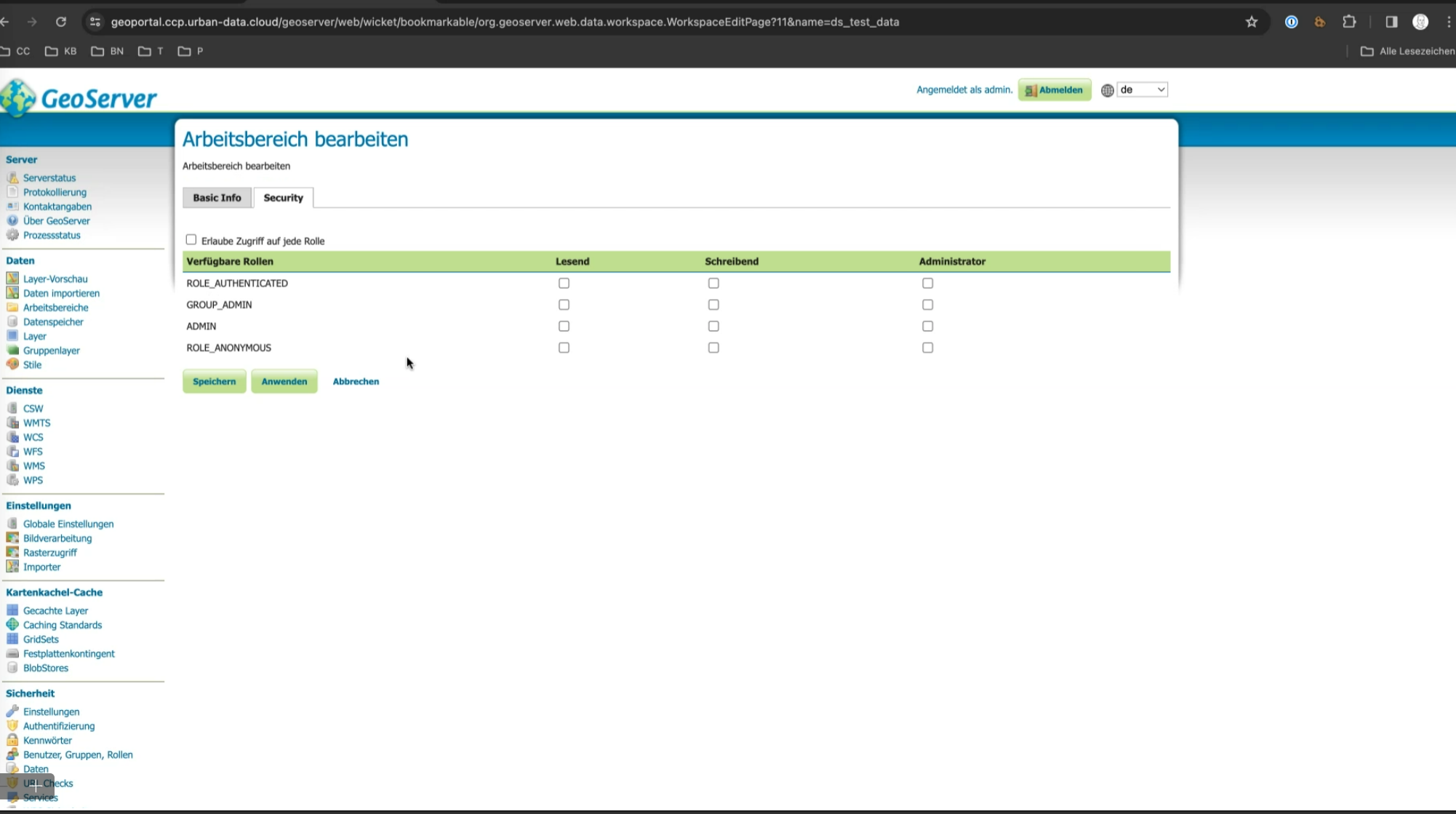
ds_open_data: Resources (e.g., data layers or services) created in theds_open_dataworkspace are publicly accessible and do not require a login as both rolesROLE_ANONYMOUSandROLE_AUTHENTICATEDare granted read permissions on it. - Custom Workspaces: Additional workspaces can be manually configured to allow public access. This configuration must be done in the workspace settings. Custom roles can be assigned here as well — the suggested pattern is to assign a role named
ds_somethingto the corresponding workspaceds_something.
Workspaces whose permissions remain unchanged will be publicly available by default.
OIDC Login
OIDC integration will be automatically set up when deploying the platform. Platform users can use the KeycloakKeycloakThe component that manages access to data spaces across all platform components. It uses realms, clients, roles, users, and groups, and represents each data space through specific roles. button next to GeoServerGeoServerThe component for geo-spatial content on the platform. Access to its layers and layer groups is controlled by roles that are specific to each data space.'s login button to login via the central IDM. In order to skip the GeoServerGeoServerThe component for geo-spatial content on the platform. Access to its layers and layer groups is controlled by roles that are specific to each data space. login screen completely, administrators can go to GeoServerGeoServerThe component for geo-spatial content on the platform. Access to its layers and layer groups is controlled by roles that are specific to each data space.'s authentication settings and update the civitas-idm-oidc authentication filter with the flag Skip GeoServerGeoServerThe component for geo-spatial content on the platform. Access to its layers and layer groups is controlled by roles that are specific to each data space. login dialog enabled.
User Roles
Assign users the KeycloakKeycloakThe component that manages access to data spaces across all platform components. It uses realms, clients, roles, users, and groups, and represents each data space through specific roles. role geoAdmin to give them administrator privileges in GeoServerGeoServerThe component for geo-spatial content on the platform. Access to its layers and layer groups is controlled by roles that are specific to each data space..