Keycloak
KeycloakKeycloakThe component that manages access to data spaces across all platform components. It uses realms, clients, roles, users, and groups, and represents each data space through specific roles. serves as the central hub for managing authentication, authorization, and user-related configurations across the whole platform. It provides comprehensive control over user access, client services, groups, realmsRealmThe top-level container in Keycloak that holds all users, roles, groups, and permissions of the platform. Realms are independent of each other. All data spaces of a platform are contained in a single realm., and user management functionalities.
Access Information:
- URL:
idm.<DOMAIN> - User:
admin@<DOMAIN>
Authentication Realms
A realmRealmThe top-level container in Keycloak that holds all users, roles, groups, and permissions of the platform. Realms are independent of each other. All data spaces of a platform are contained in a single realm. in KeycloakKeycloakThe component that manages access to data spaces across all platform components. It uses realms, clients, roles, users, and groups, and represents each data space through specific roles. represents a security environment where all the users, credentials, applications, and roles are stored and managed. It acts as a container for managing identity and access control within a specific context or domain.
KeycloakKeycloakThe component that manages access to data spaces across all platform components. It uses realms, clients, roles, users, and groups, and represents each data space through specific roles. realmsRealmThe top-level container in Keycloak that holds all users, roles, groups, and permissions of the platform. Realms are independent of each other. All data spaces of a platform are contained in a single realm. provide isolation and segregation of resources, allowing organizations to manage multiple sets of users, applications, and policies independently within different realmsRealmThe top-level container in Keycloak that holds all users, roles, groups, and permissions of the platform. Realms are independent of each other. All data spaces of a platform are contained in a single realm.. Each realmRealmThe top-level container in Keycloak that holds all users, roles, groups, and permissions of the platform. Realms are independent of each other. All data spaces of a platform are contained in a single realm. has its own user database, authentication mechanisms, authorization policies, client applications, and configuration settings.
The realmRealmThe top-level container in Keycloak that holds all users, roles, groups, and permissions of the platform. Realms are independent of each other. All data spaces of a platform are contained in a single realm. to be used is identified by the ID of the stage (e.g., tst, dev, prd). This allows the management of different platform installations using a single KeycloakKeycloakThe component that manages access to data spaces across all platform components. It uses realms, clients, roles, users, and groups, and represents each data space through specific roles. instance. The ID is specified in the inventory (see inventory customization guide).
The master realmRealmThe top-level container in Keycloak that holds all users, roles, groups, and permissions of the platform. Realms are independent of each other. All data spaces of a platform are contained in a single realm. is not used for the platform management; it is only used for managing KeycloakKeycloakThe component that manages access to data spaces across all platform components. It uses realms, clients, roles, users, and groups, and represents each data space through specific roles. itself.
RealmsRealmThe top-level container in Keycloak that holds all users, roles, groups, and permissions of the platform. Realms are independent of each other. All data spaces of a platform are contained in a single realm. are configured in the section Realm settings. To create a new realmRealmThe top-level container in Keycloak that holds all users, roles, groups, and permissions of the platform. Realms are independent of each other. All data spaces of a platform are contained in a single realm., navigate to RealmsRealmThe top-level container in Keycloak that holds all users, roles, groups, and permissions of the platform. Realms are independent of each other. All data spaces of a platform are contained in a single realm. and create a new realmRealmThe top-level container in Keycloak that holds all users, roles, groups, and permissions of the platform. Realms are independent of each other. All data spaces of a platform are contained in a single realm. representing the environment for the platform and data spacesData spaceA thematic area that contains specific data and resources in different platform components. Data is stored in exactly one data space, and access rights are specific to each data space. Roles within a data space control what users and groups can do in it. (e.g., CCPlatformRealm).
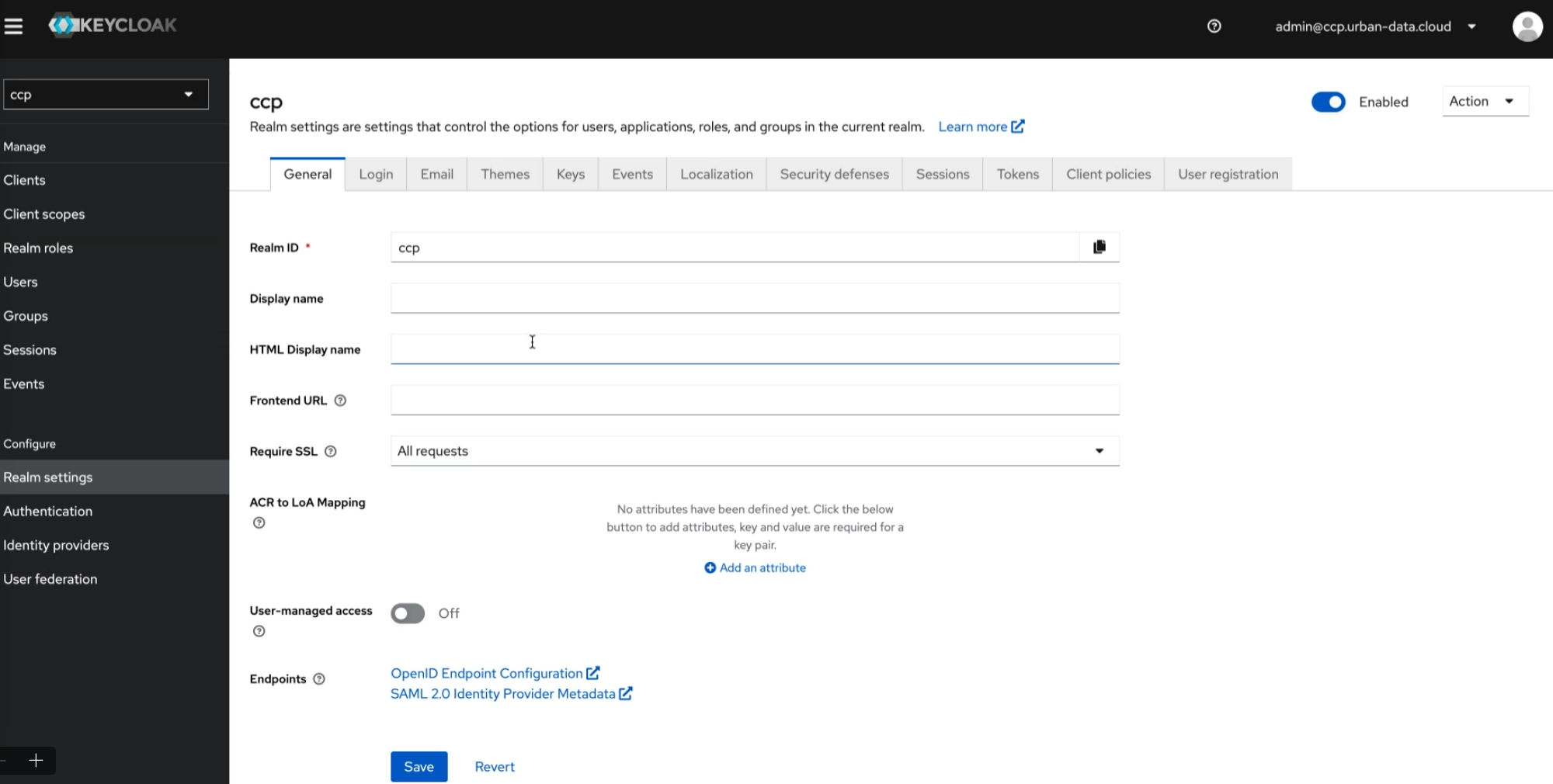
The general configuration of the realmRealmThe top-level container in Keycloak that holds all users, roles, groups, and permissions of the platform. Realms are independent of each other. All data spaces of a platform are contained in a single realm. is pre-configured by the installation of the platform. If you extend the scope of the platform installation/deployment, the needed configuration objects can be added later by the installation/deployment. Objects that are configured in KeycloakKeycloakThe component that manages access to data spaces across all platform components. It uses realms, clients, roles, users, and groups, and represents each data space through specific roles. will not be deleted by the installation/deployment scripts. Details about these objects are described in the following.
Clients
KeycloakKeycloakThe component that manages access to data spaces across all platform components. It uses realms, clients, roles, users, and groups, and represents each data space through specific roles. clients are applications or services that utilize KeycloakKeycloakThe component that manages access to data spaces across all platform components. It uses realms, clients, roles, users, and groups, and represents each data space through specific roles. for authentication and authorization. They can be web apps, mobile apps, or backend services. Clients interact with KeycloakKeycloakThe component that manages access to data spaces across all platform components. It uses realms, clients, roles, users, and groups, and represents each data space through specific roles. for user authentication, session management, and access control. KeycloakKeycloakThe component that manages access to data spaces across all platform components. It uses realms, clients, roles, users, and groups, and represents each data space through specific roles. provides various client adapters for different platforms to simplify integration and enforce security policies.
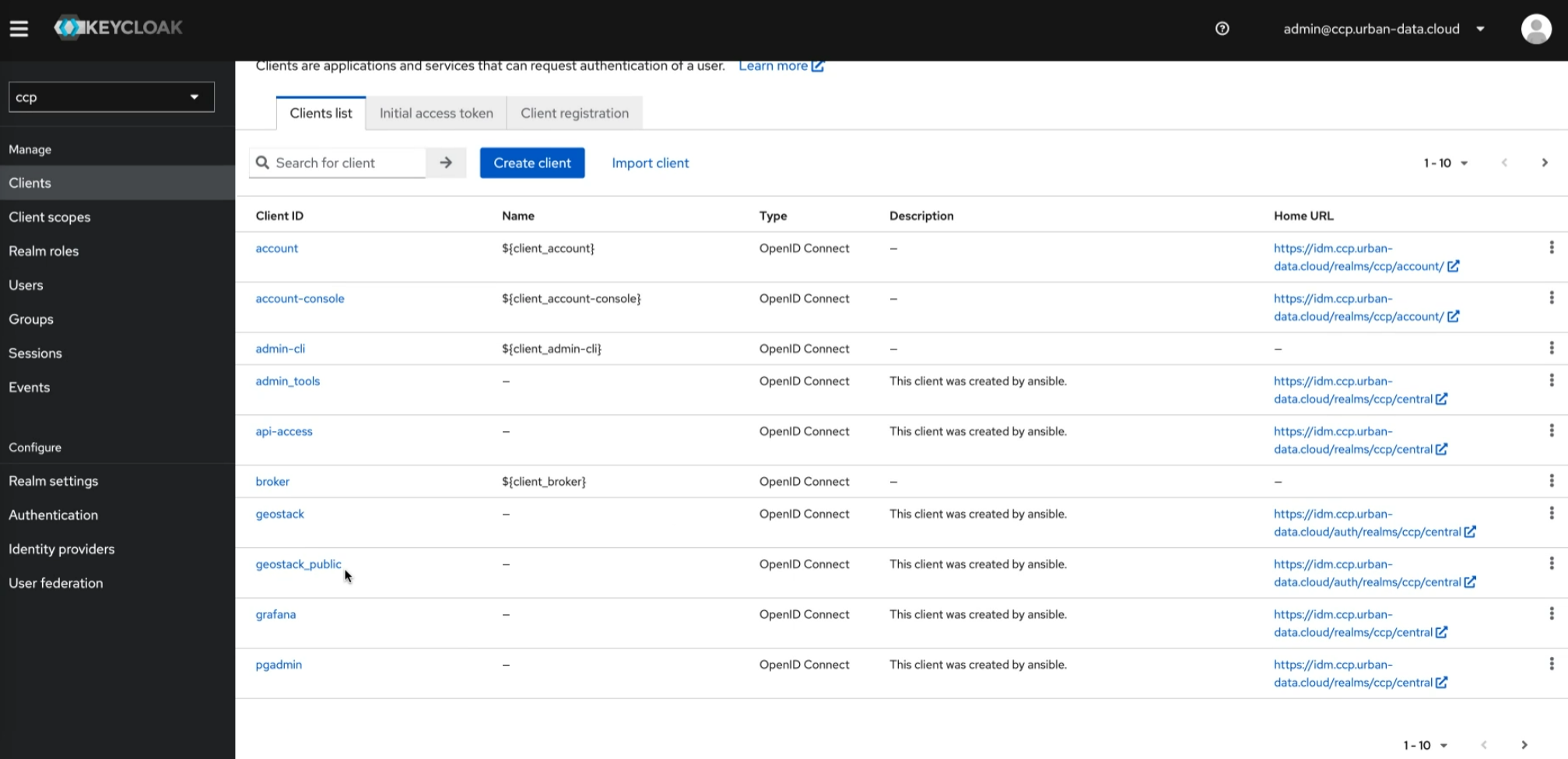
The Clients section displays the pre-configured clients (services) available on the platform.
Currently, the "geostack_public" client, designated for the Masterportal service, and the public part of Piveau Hub's UI are the only clients that allow access without authentication.
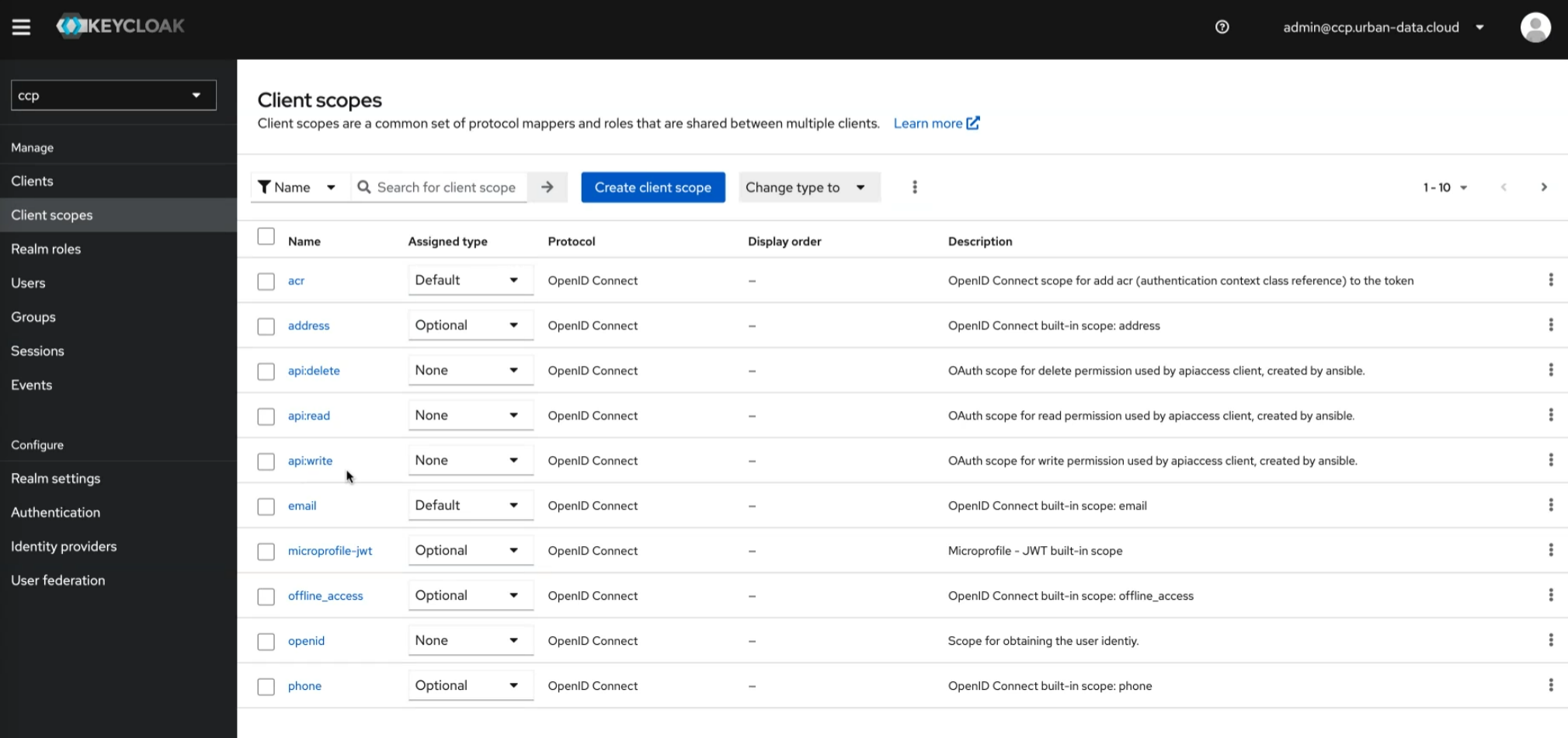
Client scopes are predefined sets of permissions that can be assigned to clients. They define access rights and are reusable across clients, simplifying management. Three pre-defined scopes of importance are the api* scopes that add permissions to read, write, and delete on API endpoints.
Groups
KeycloakKeycloakThe component that manages access to data spaces across all platform components. It uses realms, clients, roles, users, and groups, and represents each data space through specific roles. groups are logical collections of users that simplify user management in applications. They allow administrators to organize users based on roles, permissions, or any other criteria.
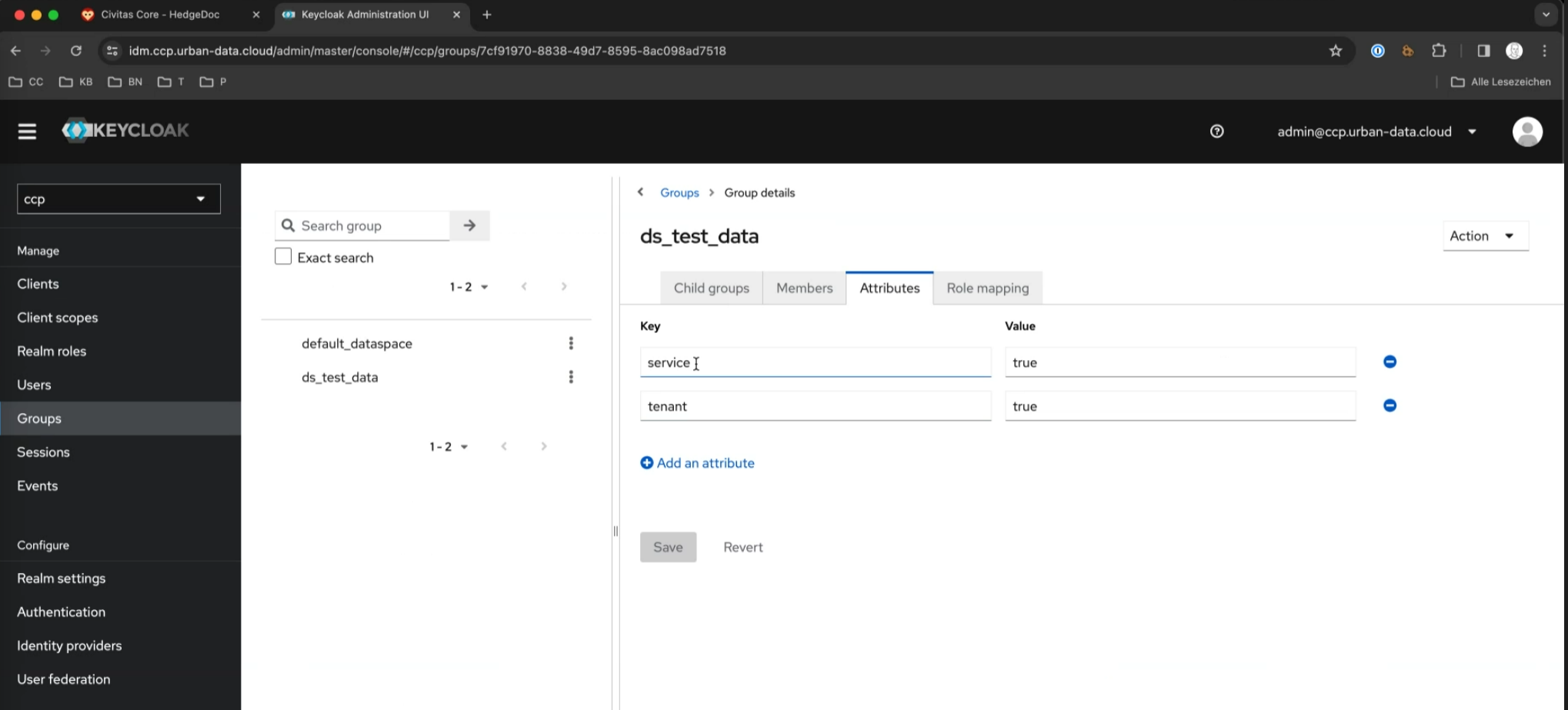
Groups with the attributes service and tenant set to true are utilized for data spacesData spaceA thematic area that contains specific data and resources in different platform components. Data is stored in exactly one data space, and access rights are specific to each data space. Roles within a data space control what users and groups can do in it. (see below). Child groups are currently not used (only applicable for CKAN).
To create a new group, navigate to Groups and create a group for each data spaceData spaceA thematic area that contains specific data and resources in different platform components. Data is stored in exactly one data space, and access rights are specific to each data space. Roles within a data space control what users and groups can do in it., such as Data_space_A, Data_space_B.
Please note that groups are also automatically created by piveau-hub-repo when a new datacatalog is added or created. Those groups will be named after the catalog names in lowercase letters.
Events
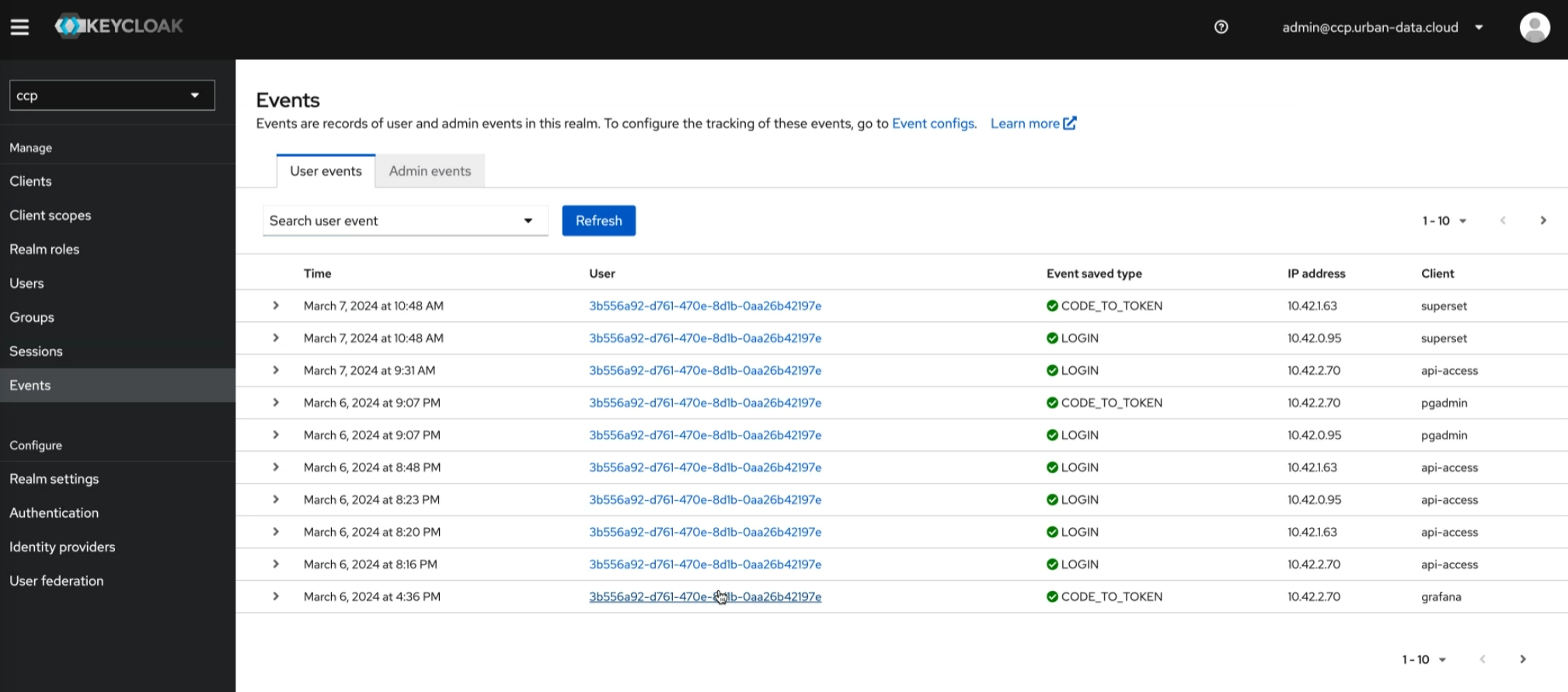
KeycloakKeycloakThe component that manages access to data spaces across all platform components. It uses realms, clients, roles, users, and groups, and represents each data space through specific roles. events are notifications triggered by various actions within the KeycloakKeycloakThe component that manages access to data spaces across all platform components. It uses realms, clients, roles, users, and groups, and represents each data space through specific roles. identity and access management system. These events provide insights into user authentication, authorization, and other system activities, aiding in auditing, monitoring, and security analysis. They cover actions such as login attempts, user creation, role assignments, and more, enhancing visibility and control over the system's operation.
Events such as user logins and administrative changes are automatically activated.
Themes
KeycloakKeycloakThe component that manages access to data spaces across all platform components. It uses realms, clients, roles, users, and groups, and represents each data space through specific roles. themes allow customization of the appearance and layout of the KeycloakKeycloakThe component that manages access to data spaces across all platform components. It uses realms, clients, roles, users, and groups, and represents each data space through specific roles. authentication pages for a specific realmRealmThe top-level container in Keycloak that holds all users, roles, groups, and permissions of the platform. Realms are independent of each other. All data spaces of a platform are contained in a single realm.. They include login, registration, and password reset screens.
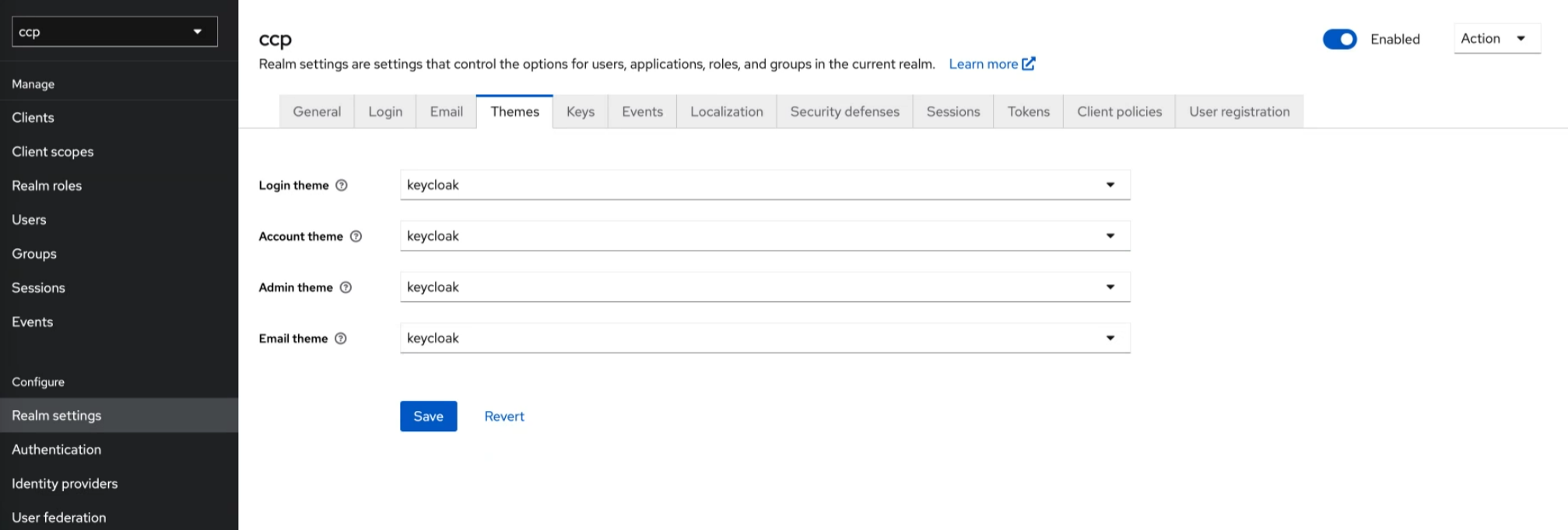
Note: The configuration of custom themes for OpenID Connect application login pages is on a per-client basis. To activate the custom theme for Geostack applications, for example, go to your realmRealmThe top-level container in Keycloak that holds all users, roles, groups, and permissions of the platform. Realms are independent of each other. All data spaces of a platform are contained in a single realm., Clients, geostack, Login settings, and choose your theme under Login theme. Repeat the same steps for other applications.
Details on creating and deploying custom KeycloakKeycloakThe component that manages access to data spaces across all platform components. It uses realms, clients, roles, users, and groups, and represents each data space through specific roles. themes are given in the inventory customization section on Keycloak.
User Management
Users are individuals or entities granted access to applications or services on the platform. They're managed centrally, allowing single sign-on across the specific realmRealmThe top-level container in Keycloak that holds all users, roles, groups, and permissions of the platform. Realms are independent of each other. All data spaces of a platform are contained in a single realm.. If you use more than one realmRealmThe top-level container in Keycloak that holds all users, roles, groups, and permissions of the platform. Realms are independent of each other. All data spaces of a platform are contained in a single realm., the user must be created in each realmRealmThe top-level container in Keycloak that holds all users, roles, groups, and permissions of the platform. Realms are independent of each other. All data spaces of a platform are contained in a single realm., explicitly.
Users are added via the "Add User" entry, providing email, first name, and last name details. Here roles can be added, too. In addition, the user credentials can be reset.
For a new user this must be performed once. Thereby, the new user receives an email with the tasks that are selected: Normally you choose "confirm_email" and "reset_password". Optionally you can configure, that the user has to add two-factor authentication for the new account.
After configuring the needed tasks, KeycloakKeycloakThe component that manages access to data spaces across all platform components. It uses realms, clients, roles, users, and groups, and represents each data space through specific roles. sends an email to the user with a personalized link, that allows performing the tasks. This user has to perform them in one take - the link is not reusable.
Role Assignment
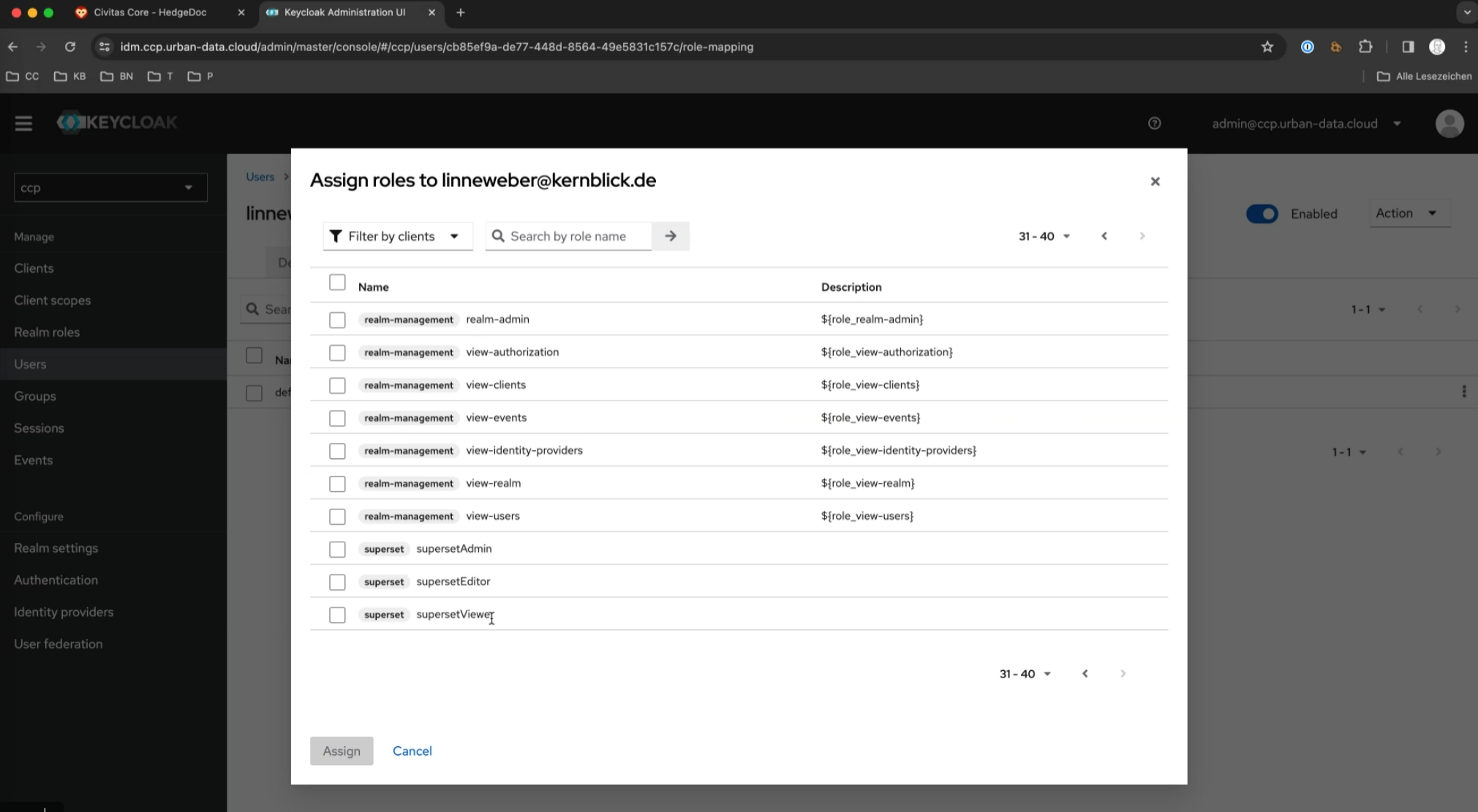
Users can be assigned specific roles via "Assign Roles". Important roles include
dataConsumeranddataProducer, granting read and write access respectively on APIsread,create,update,delete,admin, for granular access to the FROST APIgeoAdmin, assigned for specific administrative roles in the GeoServerGeoServerThe component for geo-spatial content on the platform. Access to its layers and layer groups is controlled by roles that are specific to each data space.supersetViewer,supersetEditor, andsupersetAdminto govern access and management of SupersetSupersetApache Superset, the component for data visualizations and dashboards. Roles and permissions per data space control access to its data sources and dashboards. dashboardsgrafanaViewer,grafanaEditor,grafanaAdmin, andgrafanaServerAdminto govern access and management of Grafana dashboardsgrafanaServerAdminmaps to Grafana administrator (server-wide settings including plugin installation)grafanaAdminmaps to Grafana Organization administrator
piveauHubUiAccessas a role of piveau-hub-ui, enables users to log in into Piveau Hub UI via the browser flow. Note that the operator role or (catalog-)groups are additionaly required to allow the creation and editing of resources.operator, as a role of piveau-hub-repo, grants read and write access to all data catalogs and data sets. Please note that if access has to be granted to specific catalogs only, it has to be granted by the corresponding groups only (Details can be found here)adminToolsAdmin, for admin access to the Grafana instance in Prometheus deployment
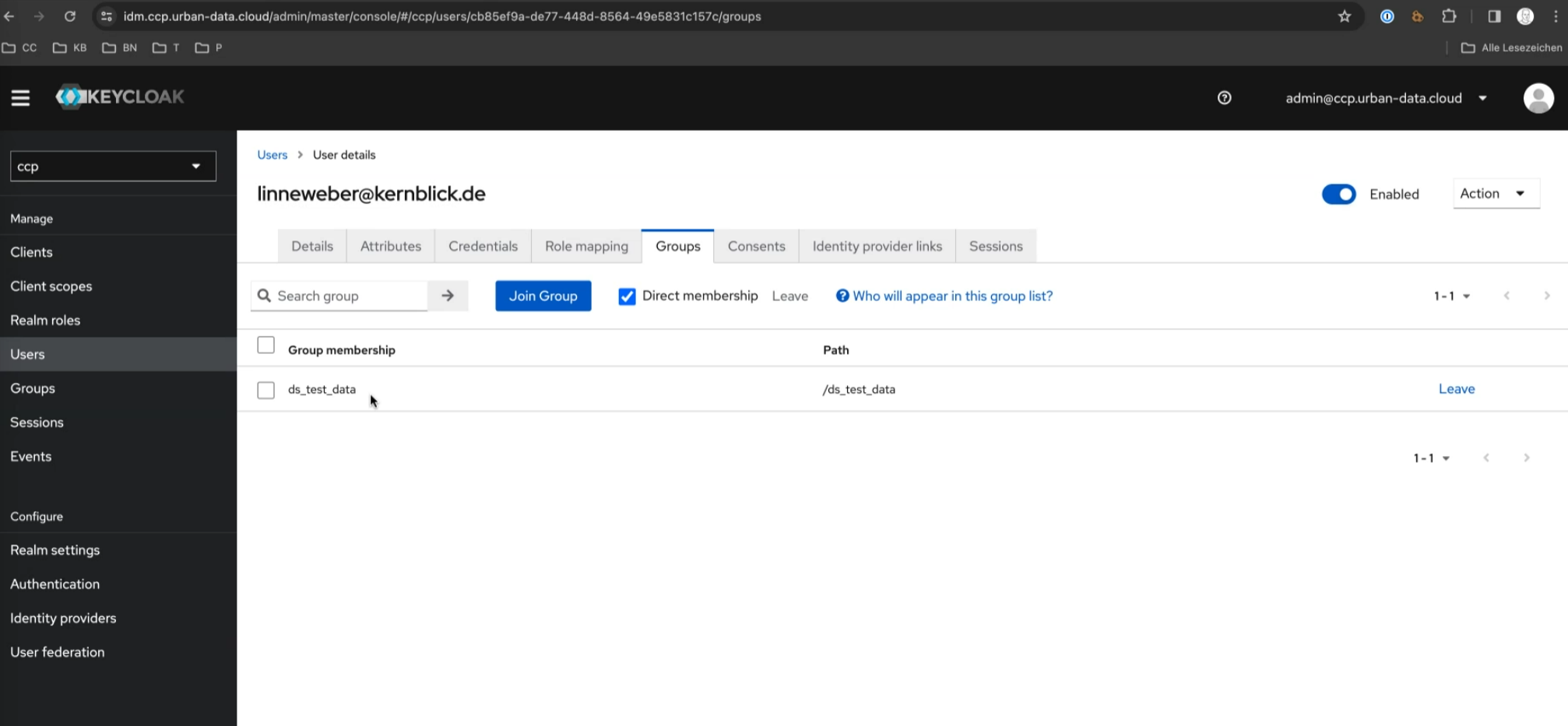
You can assign users to the previously created groups (e.g., Data_space_A) by accessing the user profile and selecting the appropriate group under Groups.
You can use Role MappingRole MappingIn Keycloak, the assignment of roles to users or groups. It lets data-space-specific roles control access. to assign users or groups specific Client RolesClient RoleA Keycloak role that belongs to one client and controls access to resources within that client. or Realm RolesRealm RoleA Keycloak role that applies across all clients within a realm and is not specific to one client. required for certain data spacesData spaceA thematic area that contains specific data and resources in different platform components. Data is stored in exactly one data space, and access rights are specific to each data space. Roles within a data space control what users and groups can do in it..