Consume Data
Overview
Role: Data Consumer
Goal: You want to find a DatasetDatasetA data-related element that contains processed data and makes it available for consumption. A Dataset is populated via Pipelines and carries Metadata and access permissions. and retrieve the DatasetDatasetA data-related element that contains processed data and makes it available for consumption. A Dataset is populated via Pipelines and carries Metadata and access permissions. Payload through one of its APIs.
Required Permissions: read DatasetDatasetA data-related element that contains processed data and makes it available for consumption. A Dataset is populated via Pipelines and carries Metadata and access permissions.
What you will achieve
After completing this guide, you will have:
- Found a DatasetDatasetA data-related element that contains processed data and makes it available for consumption. A Dataset is populated via Pipelines and carries Metadata and access permissions.
- Accessed an API of the DatasetDatasetA data-related element that contains processed data and makes it available for consumption. A Dataset is populated via Pipelines and carries Metadata and access permissions.
- Retrieved DatasetDatasetA data-related element that contains processed data and makes it available for consumption. A Dataset is populated via Pipelines and carries Metadata and access permissions. Payload
Before you start
Make sure that:
- the DatasetDatasetA data-related element that contains processed data and makes it available for consumption. A Dataset is populated via Pipelines and carries Metadata and access permissions. is in status Available
- you have access permissions
- or Open Data is enabled
Understand data consumption
In CIVITAS/CORE, DatasetsDatasetA data-related element that contains processed data and makes it available for consumption. A Dataset is populated via Pipelines and carries Metadata and access permissions. make their Payload available through one or more APIs. This means:
- a DatasetDatasetA data-related element that contains processed data and makes it available for consumption. A Dataset is populated via Pipelines and carries Metadata and access permissions. can provide one or more APIs
- each API provides access to the DatasetDatasetA data-related element that contains processed data and makes it available for consumption. A Dataset is populated via Pipelines and carries Metadata and access permissions. Payload
- access is controlled through Groups, Roles, or Open Data
Step-by-step guide
Step 1: Find a Dataset
- Go to DatasetsDatasetA data-related element that contains processed data and makes it available for consumption. A Dataset is populated via Pipelines and carries Metadata and access permissions.
- Browse the list or search for the DatasetDatasetA data-related element that contains processed data and makes it available for consumption. A Dataset is populated via Pipelines and carries Metadata and access permissions. you want to access
- Open the DatasetDatasetA data-related element that contains processed data and makes it available for consumption. A Dataset is populated via Pipelines and carries Metadata and access permissions.
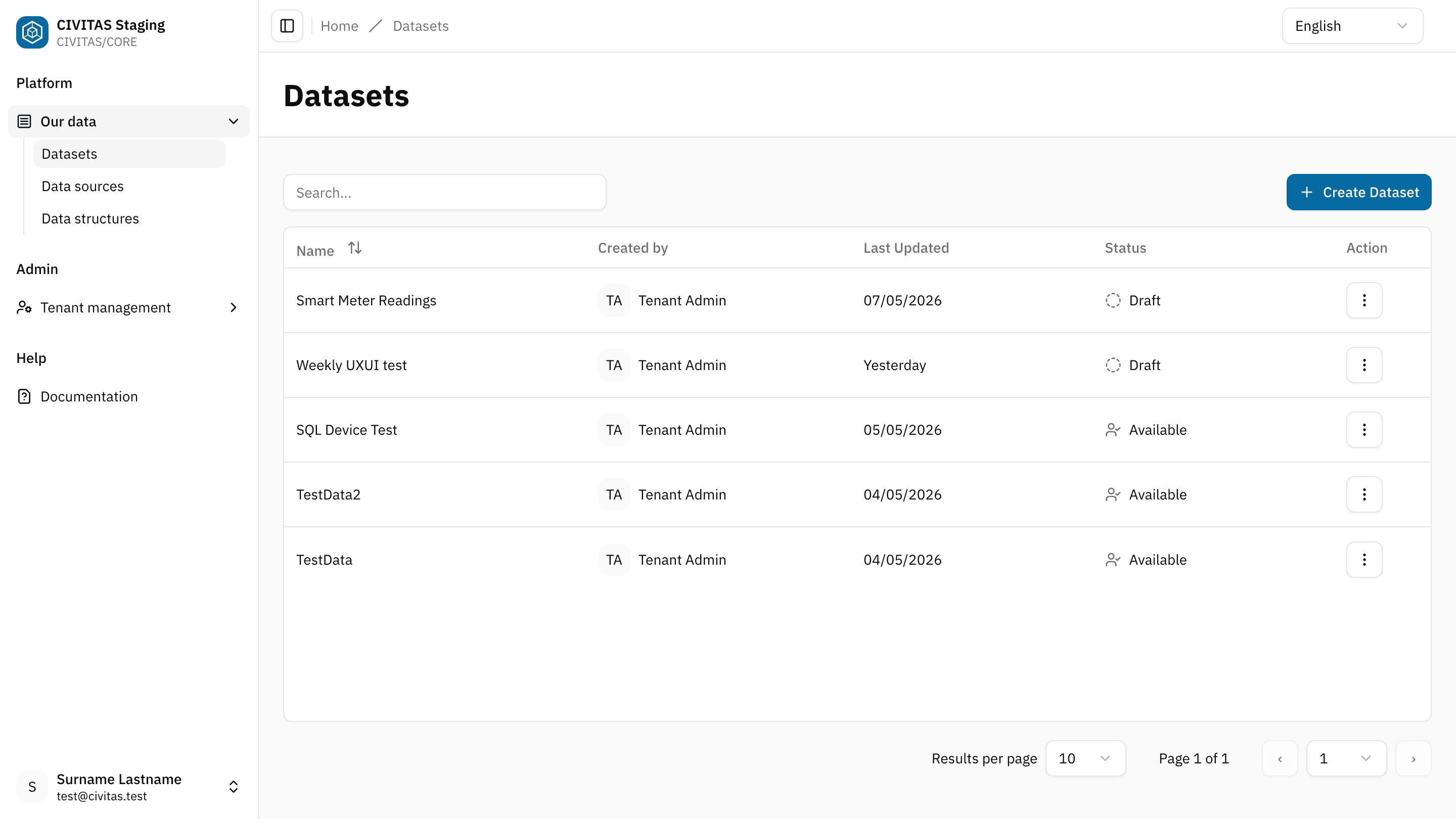
You can only open DatasetsDatasetA data-related element that contains processed data and makes it available for consumption. A Dataset is populated via Pipelines and carries Metadata and access permissions. that you have access to.
Step 2: Select an API
- In the DatasetDatasetA data-related element that contains processed data and makes it available for consumption. A Dataset is populated via Pipelines and carries Metadata and access permissions. detail view, locate the APIs subsection in the Dataflow section
- Select the API you want to use
- Copy the API URL by click on the
copyicon next to the URL
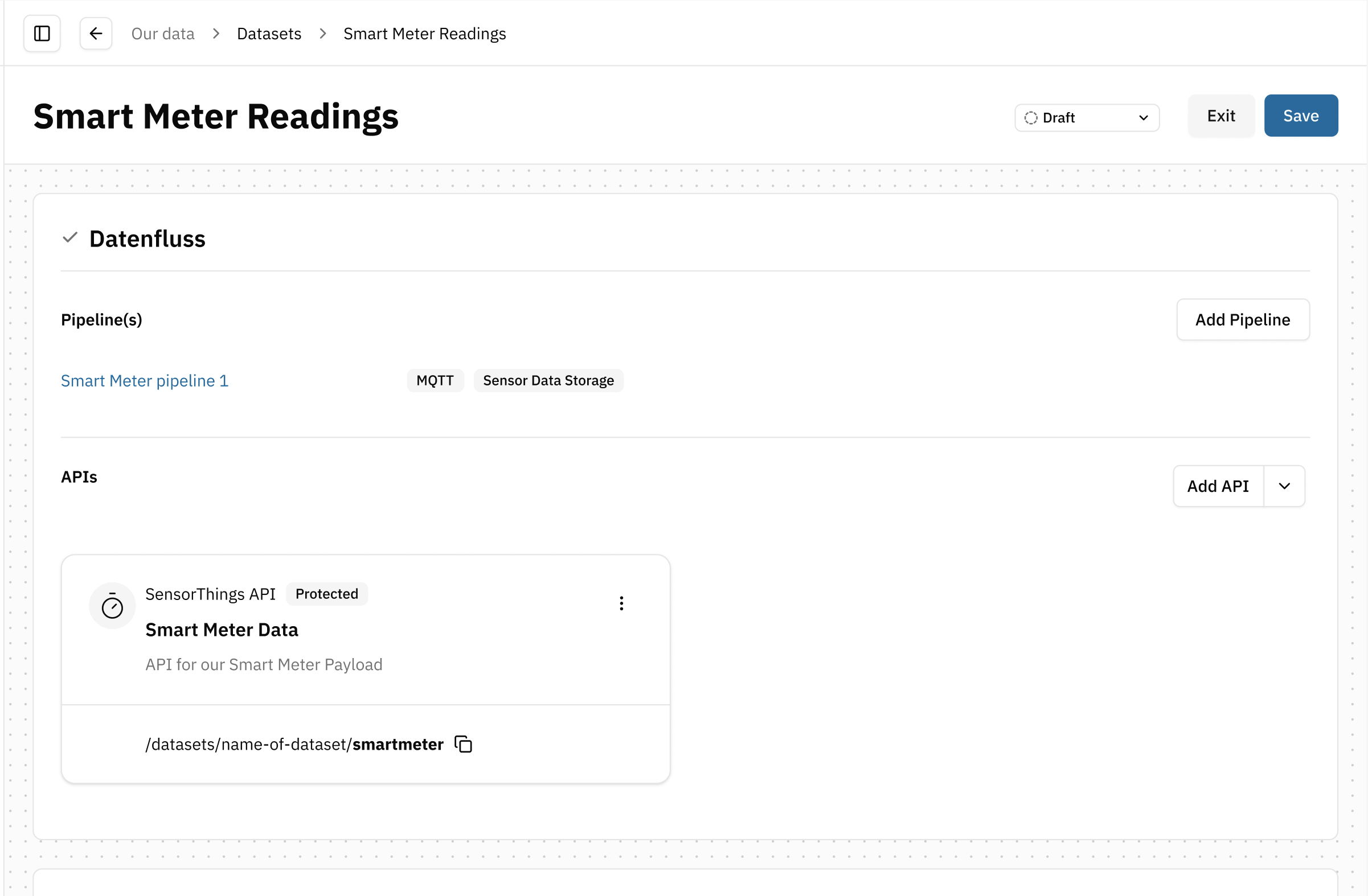
The API URL shown in the DatasetDatasetA data-related element that contains processed data and makes it available for consumption. A Dataset is populated via Pipelines and carries Metadata and access permissions. detail view is a relative path (e.g. api/...).
To use it, you need to prepend your Platform domain.
Example:
https://<your-platform-domain>/api/…
The full URL is used to access the DatasetDatasetA data-related element that contains processed data and makes it available for consumption. A Dataset is populated via Pipelines and carries Metadata and access permissions. Payload through the selected API.
Step 3: Use the API URL
- Paste the full API URL into the API tool of your choice
- Authenticate if required
- Send the request
- Retrieve the DatasetDatasetA data-related element that contains processed data and makes it available for consumption. A Dataset is populated via Pipelines and carries Metadata and access permissions. Payload
Optional: Access Open Data directly
If a DatasetDatasetA data-related element that contains processed data and makes it available for consumption. A Dataset is populated via Pipelines and carries Metadata and access permissions. is released as Open Data, you do not need access permissions in CIVITAS/CORE. You only need the API URL. If someone shares the URL with you, you can use it directly to access the payload data.
Outcome
You have successfully:
- selected an API of a DatasetDatasetA data-related element that contains processed data and makes it available for consumption. A Dataset is populated via Pipelines and carries Metadata and access permissions.
- copied its API URL
- retrieved the DatasetDatasetA data-related element that contains processed data and makes it available for consumption. A Dataset is populated via Pipelines and carries Metadata and access permissions. Payload