Consume Data
Overview
Role: Data Consumer
Goal: You want to find a Dataset and retrieve the Dataset Payload through one of its APIs.
Required Permissions: read Dataset
What you will achieve
After completing this guide, you will have:
- Found a Dataset
- Accessed an API of the Dataset
- Retrieved Dataset Payload
Before you start
Make sure that:
- the Dataset is in status Available
- you have access permissions
- or Open Data is enabled
Understand data consumption
In CIVITAS/CORE, Datasets make their Payload available through one or more APIs. This means:
- a Dataset can provide one or more APIs
- each API provides access to the Dataset Payload
- access is controlled through Groups, Roles, or Open Data
Step-by-step guide
Step 1: Find a Dataset
- Go to Datasets
- Browse the list or search for the Dataset you want to access
- Open the Dataset
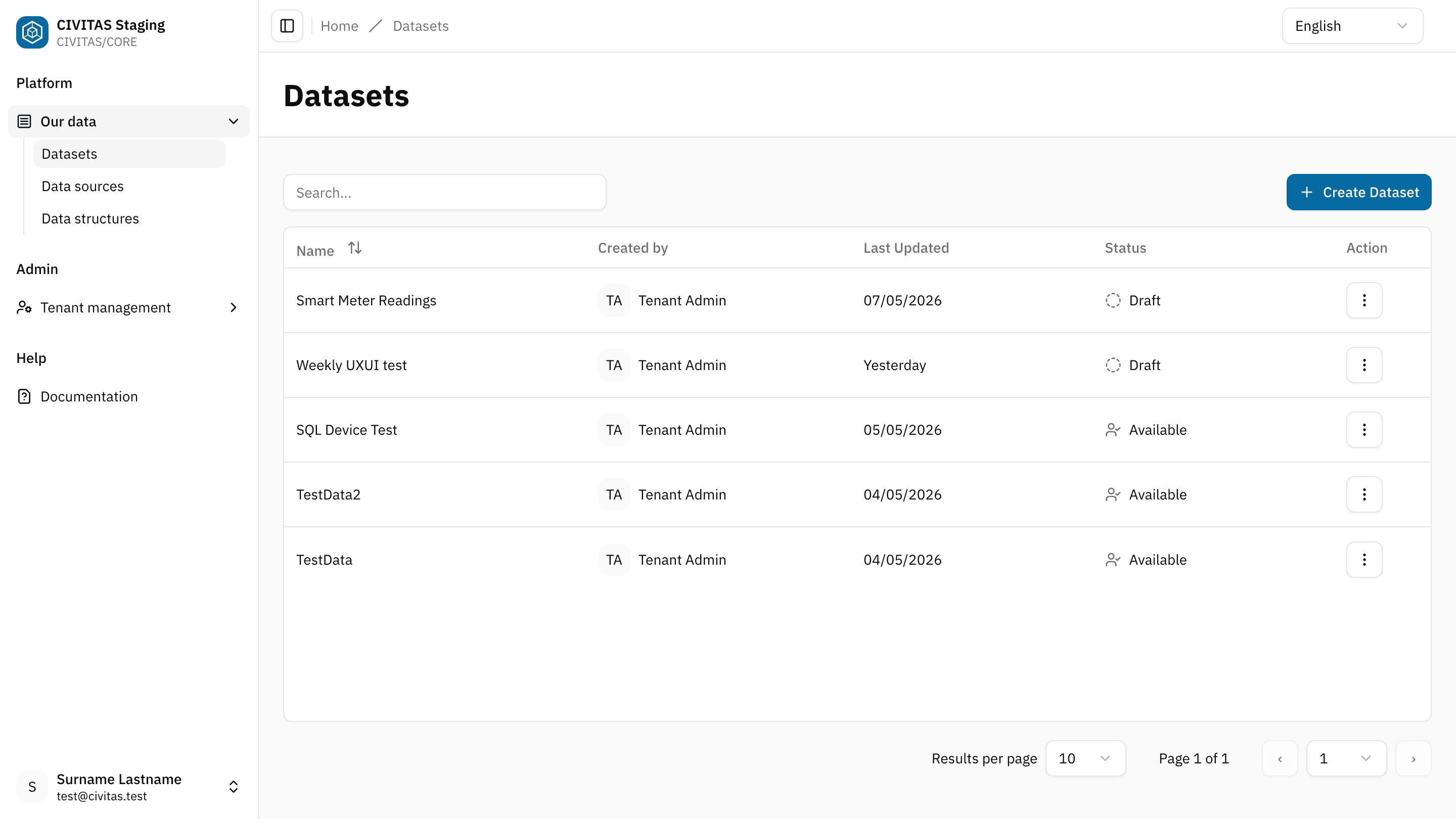
You can only open Datasets that you have access to.
Step 2: Select an API
- In the Dataset detail view, locate the APIs subsection in the Dataflow section
- Select the API you want to use
- Copy the API URL by click on the
copyicon next to the URL
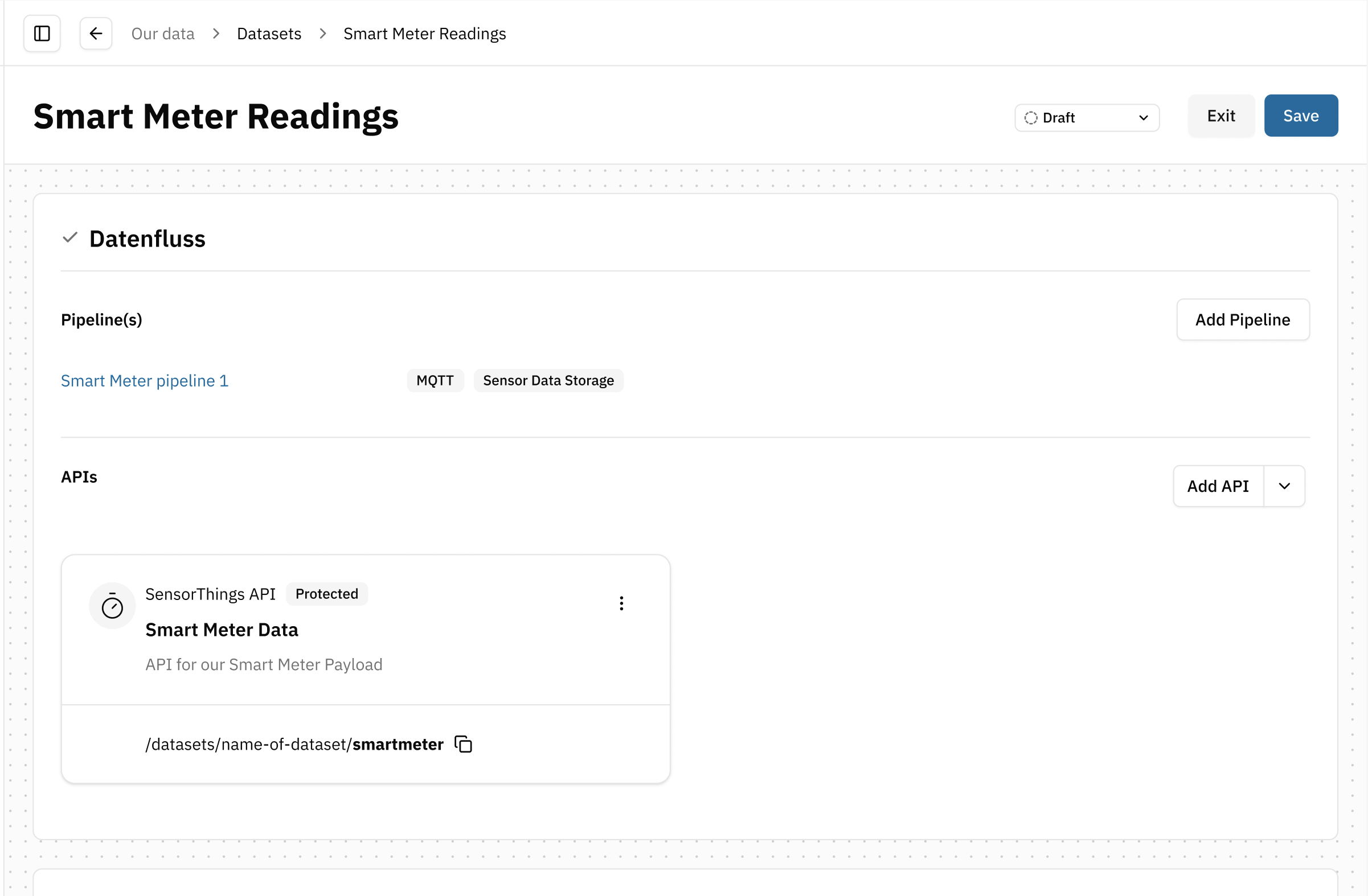
The API URL shown in the Dataset detail view is a relative path (e.g. api/...).
To use it, you need to prepend your Platform domain.
Example:
https://<your-platform-domain>/api/…
The full URL is used to access the Dataset Payload through the selected API.
Step 3: Use the API URL
- Paste the full API URL into the API tool of your choice
- Authenticate if required
- Send the request
- Retrieve the Dataset Payload
Optional: Access Open Data directly
If a Dataset is released as Open Data, you do not need access permissions in CIVITAS/CORE. You only need the API URL. If someone shares the URL with you, you can use it directly to access the payload data.
Outcome
You have successfully:
- selected an API of a Dataset
- copied its API URL
- retrieved the Dataset Payload