Work with sensor Data
Role: Data Architect, Data Steward
Goal: You want to store sensor data (Things, Datastreams, measurements) in the Sensor Data storage and publish it through the SensorThings APISensorThings APIA standardized API based on the OGC SensorThings API specification for accessing time series and IoT data. It enables structured retrieval and management of observations and related entities..
Required Permissions: update DatasetDatasetA data-related element that contains processed data and makes it available for consumption. A Dataset is populated via Pipelines and carries Metadata and access permissions.
Before you start
CIVITAS/CORE stores sensor data in a Sensor Data storage based on the OGC SensorThings APISensorThings APIA standardized API based on the OGC SensorThings API specification for accessing time series and IoT data. It enables structured retrieval and management of observations and related entities.. This guide explains how to configure the Sensor Data storage node in a Pipeline, which fields your Mapping must provide, and how to publish the stored data.
The SensorThings APISensorThings APIA standardized API based on the OGC SensorThings API specification for accessing time series and IoT data. It enables structured retrieval and management of observations and related entities. organizes sensor data in entities:
- Thing: the station or device, e.g. a weather station
- Location: where the Thing is placed
- Datastream: one measuring point of a Thing, e.g. temperature, with its unit of measurement
- Sensor and ObservedProperty: what measures and what is measured
- Observation: a single measurement in a Datastream
Sensor data support is continuously evolving. The features described in this guide represent the current functionality of the Platform. Additional capabilities will be added in future releases.
Store sensor data
Configure the Sensor Data storage
Navigate to: DatasetsDatasetA data-related element that contains processed data and makes it available for consumption. A Dataset is populated via Pipelines and carries Metadata and access permissions. → Dataflow → Pipeline
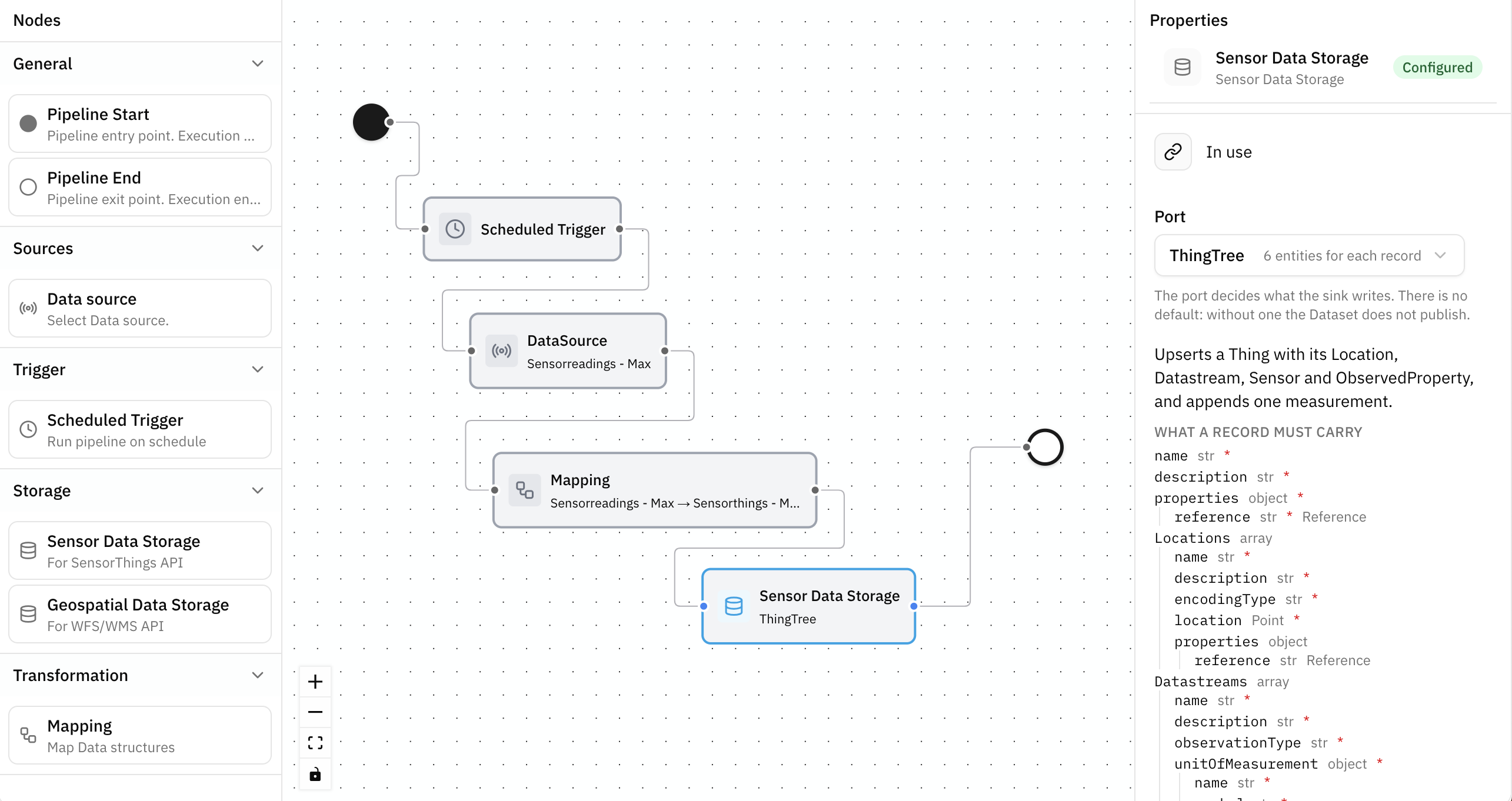
Add a Sensor Data storage node to store sensor data for access through the SensorThings APISensorThings APIA standardized API based on the OGC SensorThings API specification for accessing time series and IoT data. It enables structured retrieval and management of observations and related entities..
In the node properties, select a Port. The Port determines how the incoming data is stored:
- which SensorThings entities are created or updated
- how incoming data is matched with existing entities
- whether new data is added to existing entities
Select a Port to complete the node configuration. A DatasetDatasetA data-related element that contains processed data and makes it available for consumption. A Dataset is populated via Pipelines and carries Metadata and access permissions. with an unconfigured Sensor Data storage node cannot be published.
Create and connect nodes, configure Data sourcesData sourceA data-related element that represents the origin of data. It defines how data is connected, accessed, and ingested into the Platform, such as an external database or sensor network. and Storage nodes, and define how data flows through a Pipeline. → Build Pipelines
Choose a Port
Select the Port based on the data you want to store:
| Port | What it stores | Typical use |
|---|---|---|
Things | One Thing for each record | Load or update master data only, without measurements |
Observations | One measurement in an existing Datastream | Write measurements into Datastreams that another Pipeline created |
ThingTree | A Thing with its Locations, its Datastreams with their Sensor and ObservedProperty, and their measurements — as one unit | Write master data and measurements together from one source |
A common setup uses two Pipelines: one with the
ThingsorThingTreePort for master data, and one with theObservationsPort for continuous measurements, e.g. from MQTT.
After you select a Port, the node properties panel shows the structure the Port expects:
- the field names
- their data types
- the mandatory fields (marked with
*) - the field the Port uses as reference Use this Data structure as the target structure of your Mapping.
Transform sensor data
Configure mappings
Navigate to: DatasetsDatasetA data-related element that contains processed data and makes it available for consumption. A Dataset is populated via Pipelines and carries Metadata and access permissions. → Dataflow → Pipeline → Mapping node
The Mapping connected to the Sensor Data storage node transforms incoming data into the structure required by the selected Port.
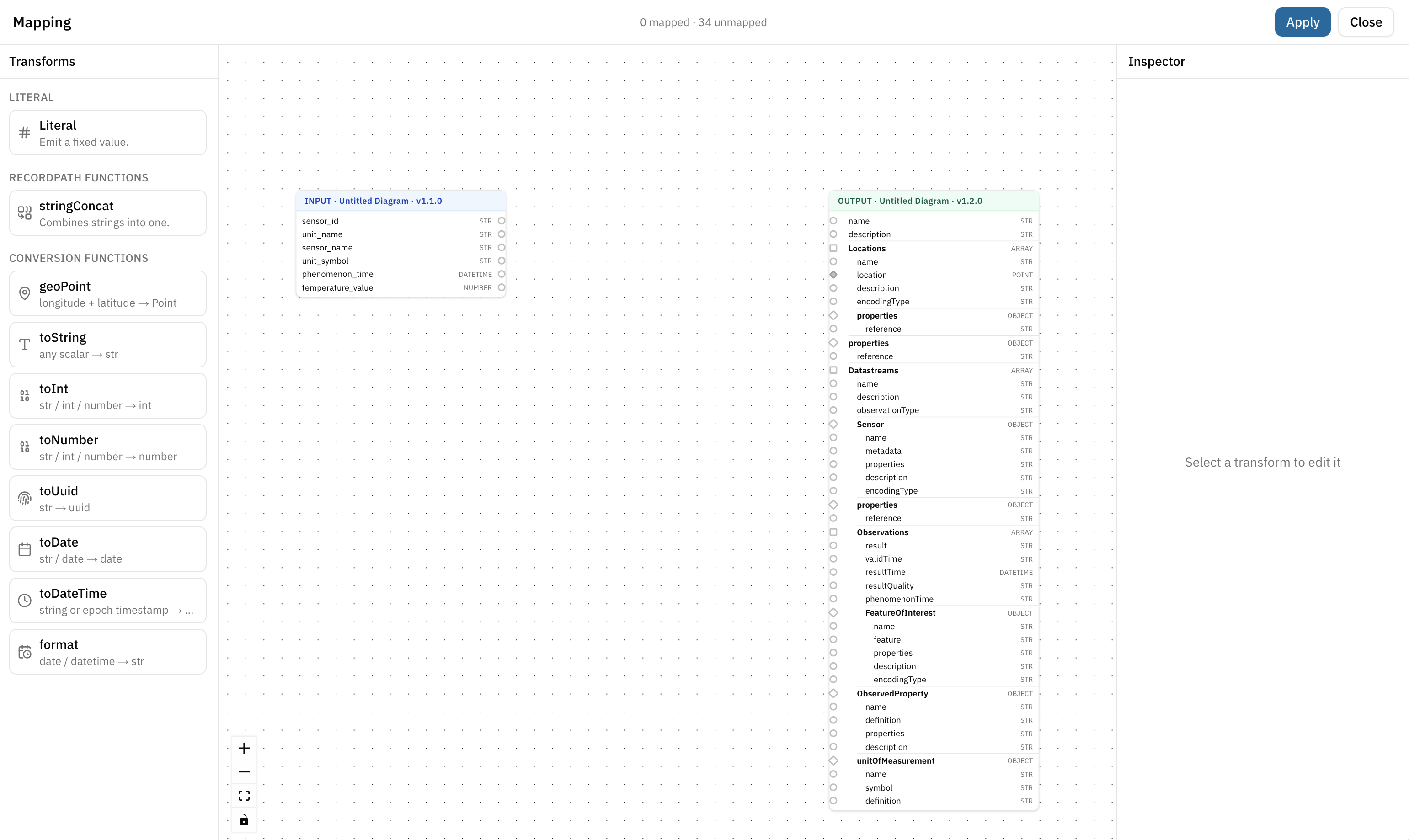
Assign input and output Data structures, connect Attributes, and apply transformations where required. → Create Mappings
Map references
References identify stored entities across multiple Pipeline runs. Map the identifier from the source data to the corresponding reference field so that existing entities can be recognized and updated instead of being created again.
For example, a reference can identify a station, measuring point, or measurement.
SensorThings stores these references in properties for entities and in parameters for Observations.
| Port | Entity | Field | Meaning |
|---|---|---|---|
Things | Thing | properties.reference | The key of the station |
ThingTree | Thing | properties.reference | The key of the station |
ThingTree | Datastream | properties.reference | The key of the measuring point. It only has to be unique within the station, so temperature is enough — it does not have to be station-7-temperature |
ThingTree | Location | properties.reference | (Optional for a single Location) Without it, the Location takes the reference of its Thing. When a record has more than one Location, each Location needs its own reference |
Observations | Observation | parameters.thingReference | The key of the station the Datastream belongs to |
Observations | Observation | parameters.datastreamReference | The key of the measuring point |
Observations | Observation | parameters.reference | (Optional) With it, a second delivery of the same measurement corrects the first one; without it, every delivery appends a new measurement |
Records without a required reference cannot be stored and are handled as errors.
Records in which two Datastreams or two Locations have the same reference cannot be stored either. The second entity would overwrite the first one.
Map a Location
For the ThingTree Port, a Location requires the following data:
| Field | Value |
|---|---|
name | Name of the Location, e.g. Station Prinzipalmarkt |
description | Description of the Location |
encodingType | application/geo+json |
location | The position as a GeoJSON Point |
The SensorThings APISensorThings APIA standardized API based on the OGC SensorThings API specification for accessing time series and IoT data. It enables structured retrieval and management of observations and related entities. requires location as a GeoJSON geometry. The Port structures declare it as a Point; other geometry types such as lines or polygons are not supported for a Location:
{
  "type": "Point",
  "coordinates": [
    7.639286227368158,
    51.95226057725515
  ]
}
For coordinates, use longitude first, then latitude (WGS 84).
Depending on the source data:
Latitude and longitude are provided separately: Use the geoPoint transformation in the Mapping Editor. Connect longitude and latitude to its inputs and its output to location.
GeoJSON is already provided: Declare the Attribute as Point in the source Data structure and map it directly to location. The Mapping Editor connects a Point only to a Point, so an Attribute declared as text cannot be connected. The value must be a GeoJSON Point; it is not checked before it reaches the Sensor Data storage.
The Sensor Data storage does not currently support converting WKT geometries (e.g. POINT(7.6392 51.9522)) to GeoJSON. Convert the geometry to GeoJSON in the Data sourceData sourceA data-related element that represents the origin of data. It defines how data is connected, accessed, and ingested into the Platform, such as an external database or sensor network. or as part of the Mapping before storing the data. This also applies to a fixed geometry set with a Literal: its value is WKT, so do not use it for location.
Map additional fields
SensorThings leaves some fields free: properties of every entity, feature of a FeatureOfInterest and resultQuality of an Observation. The Port structures do not declare them, apart from the references in properties.
To store such a field, add it to your target Data structure as a Class with Attributes, e.g. a Class SensorProperties with the Attribute vendor for the properties of a Sensor. Each Attribute is written into the field it belongs to. A field cannot be mapped as a whole object. → Design Data structures
Map a FeatureOfInterest
SensorThings requires a feature for every FeatureOfInterest and refuses one without it. The Port structures do not declare feature, so a Pipeline that maps a FeatureOfInterest without it is refused when the DatasetDatasetA data-related element that contains processed data and makes it available for consumption. A Dataset is populated via Pipelines and carries Metadata and access permissions. is published.
- No FeatureOfInterest mapped: SensorThings derives the FeatureOfInterest of a measurement from the Location of its Thing. This is enough when a measurement is taken at the position of the station.
- Own FeatureOfInterest: Add
featureto your target Data structure, as a Point or as a Class, and map it together withname,descriptionandencodingType.
Handle failed records
Records are processed independently. If a record cannot be stored, other valid records can still be processed.
For each failed record, the error information indicates what failed and why:
Pipeline record dropped: entity=Datastream status=404
  reason=the record names no Datastream that exists file=<record id>
entity: the SensorThings entity that could not be stored. When a record has more than one entity of a type, the entry gives its position, counted from 0:Datastream[1]is the second Datastream of the record, andDatastream[1]/Observation[2]is the third measurement of that Datastreamstatus: the returned status codereason: the reason the record could not be processed
A failed record is not stored. After updating the record, it can be processed again.
If the Sensor Data storage is temporarily unavailable, the Pipeline automatically retries processing the record. The record is treated as failed only after all retry attempts have been unsuccessful.
Provide sensor data through an API
Create a SensorThings API
Navigate to: DatasetDatasetA data-related element that contains processed data and makes it available for consumption. A Dataset is populated via Pipelines and carries Metadata and access permissions. → Dataflow → APIs
Add a SensorThings APISensorThings APIA standardized API based on the OGC SensorThings API specification for accessing time series and IoT data. It enables structured retrieval and management of observations and related entities. – Time-series Data to provide access to the data stored in the Sensor Data storage.
Requirements:
- a valid Pipeline
- at least one Sensor Data storage node
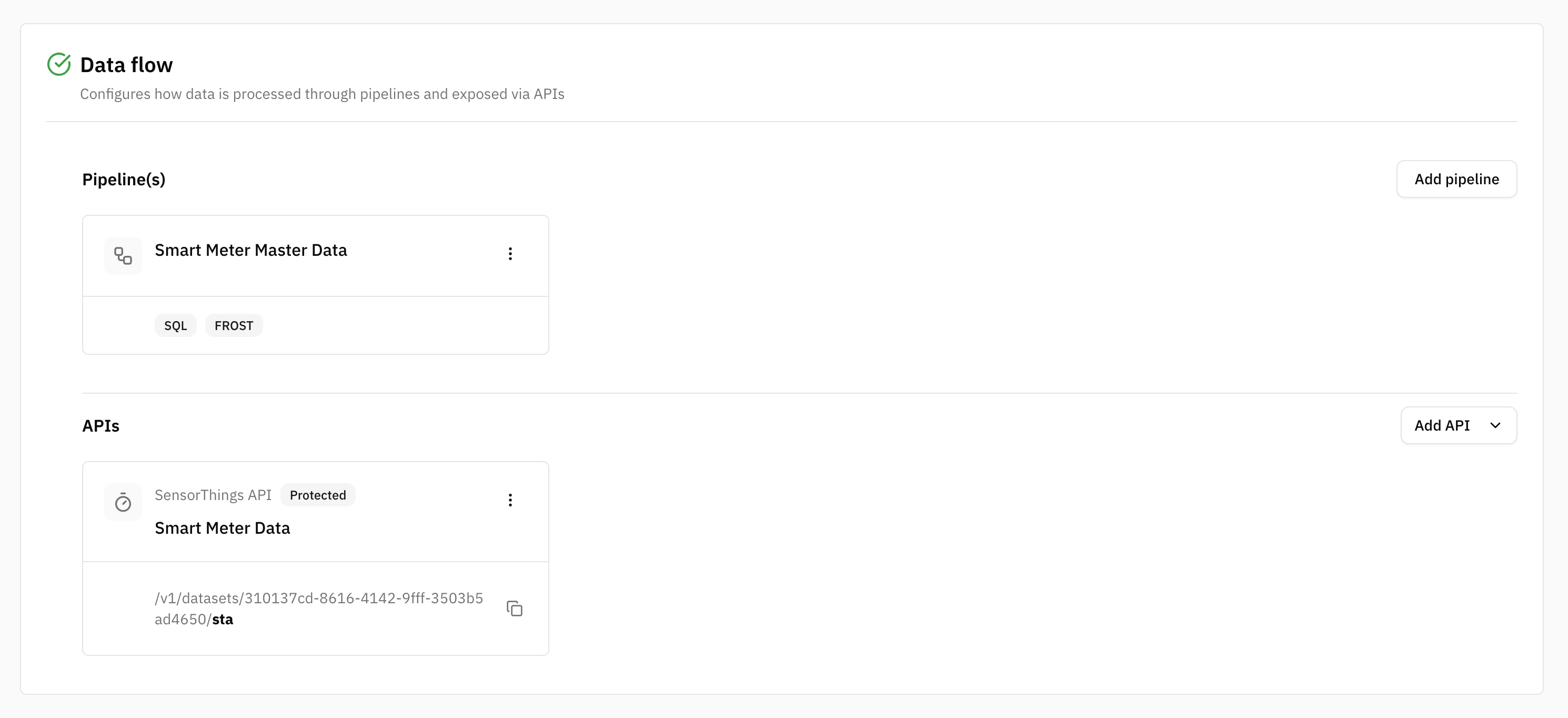
Add an API to a DatasetDatasetA data-related element that contains processed data and makes it available for consumption. A Dataset is populated via Pipelines and carries Metadata and access permissions., choose the API type and share the API URL with consumers. → Define an API
Summary
CIVITAS/CORE supports sensor data workflows throughout the Platform:
- store sensor data using the Sensor Data storage
- select a Port based on how the incoming data should be stored
- map references to identify and update existing SensorThings entities
- map Locations as GeoJSON Points
- model and map additional fields and FeatureOfInterest
- handle records that cannot be stored
- provide access through a SensorThings APISensorThings APIA standardized API based on the OGC SensorThings API specification for accessing time series and IoT data. It enables structured retrieval and management of observations and related entities.